
The Highlight Extraction Experiment
LinkedIn Post
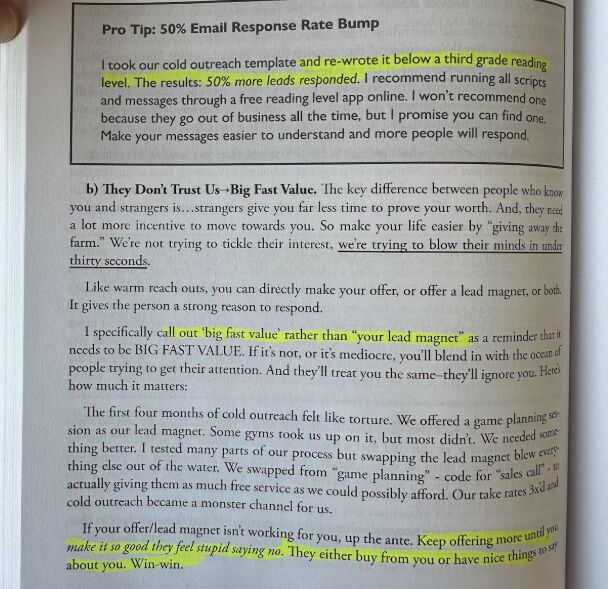
How I rescued 400 book highlights without endless typing or scanning.
That moment when you realized you’ve highlighted 400 passages in a paper book… a challenge I wrote about yesterday:
270 pages with approximately 200-400 highlights. In a paper book!
And I want to transfer my highlights so that I can work with AI building on them (like I did here: https://lnkd.in/gNKFWWRg).
———
This is what I came up with:
———
→ Took a photo for each page with a highlight (12’)
→ All automatically saved to my Google Photos
→ Created an Album (2’)
In batches of 10 images:
→ Inserted in a Google Document (2’)
→ Added to NotebookLM as source (1’)
→ Ask for extracting the highlights (2’)
→ Saved as new note in NotebookLM (some seconds)
———
Learnings so far
———
→ NotebookLM can read Google Documents containing images, analyze them and extract my highlighted passages
→ Sometimes it extracts a little more. I’m fine with that
→ Rarely it skips a highlight. I can live with that too
→ It can’t yet process all 140 images at once, but works well with 10-image chunks
———
What you gain
———
→ Speed
→ Highlights that you can now use with AI
→ A Google Doc with all images as reference
Thoughts?
Content preparation
Posted on LINKEDIN on 2025-03-25_Tue