
Obsidian Second Brain Setup Instructions - V1.0.0
It takes you 7 simple steps, doable in 5 minutes to open your Obsidian-Second Brain. I’ll outline the 7 steps here for you.
-
Install Obsidian and please follow the installation instructions described by the Obsidian team.
-
Download your Second-Brain template:
https://github.com/QuintSmart/MySecondBrain/archive/refs/tags/v1.0.0.zip
- Unpack to a folder, where you can find it in the next step again. (on Mac I e.g. unpacked in folder /Users/sebastiankamilli/Documents/MySecondBrain-1.0.0)

- Start Obsidian and open the Second-Brain in Obsidian
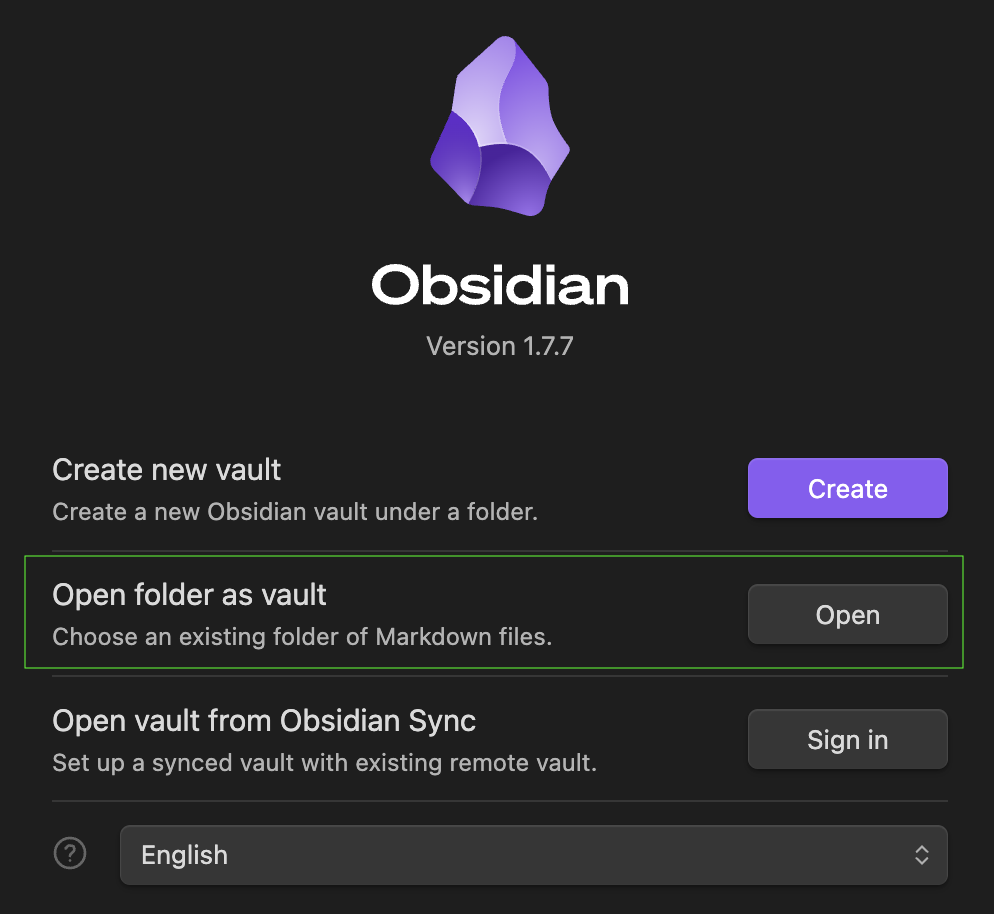
Important! Pick the folder MySecondBrain-1.0.0, then open it.

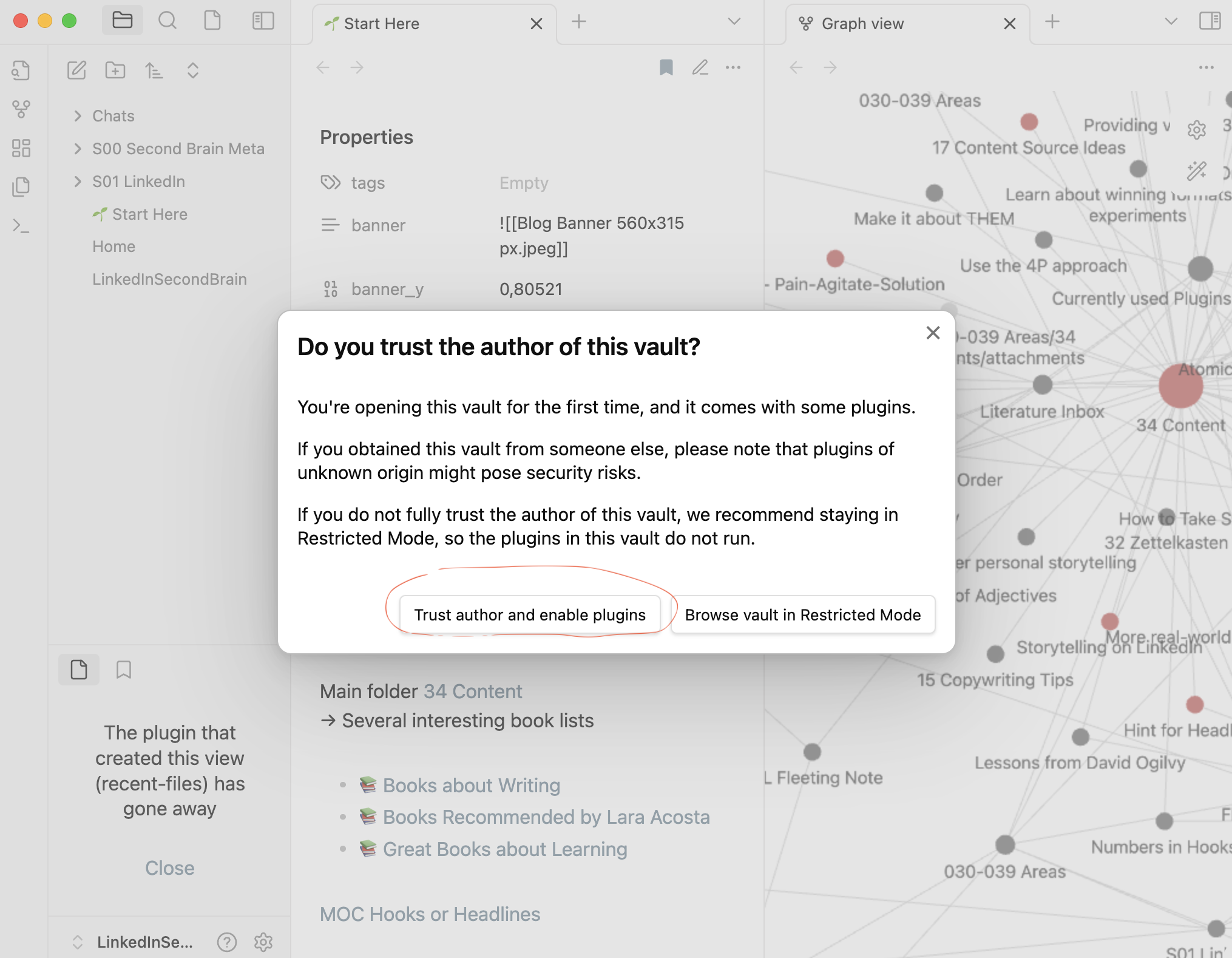
- Open with Trust author and enable plugins to enable the full plugin-functionality.
-
You should now see the Start here page in Obsidian

-
Have fun exploring the Second Brain.
Please let me know here if you might need help getting that setup.